About Elavon Biometric Authenticator
The Elavon Biometric Authenticator App is a mobile app solution offered to Elavon commercial card customers. Cardholders can authenticate their high-risk e-commerce transactions using device biometrics, securely and...
The Elavon Biometric Authenticator App is a mobile app solution offered to Elavon commercial card customers. Cardholders can authenticate their high-risk e-commerce transactions using device biometrics, securely and conveniently, via the mobile app.
Strong Customer Authentication (SCA) ensures that card issuers must confirm the cardholder is the genuine owner of the payment card before they approve online transactions. The app provides significantly enhanced security features when compared with the traditional OTP generating token and delivers an improved login experience through secure authentication.
Here is what you need to do:
• Download the Elavon Biometric Authenticator App.
• Open the Elavon Biometric Authenticator App.
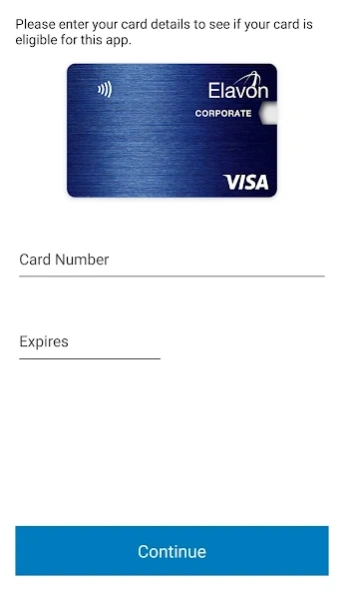
• You will be prompted on screen to register your Elavon corporate card.
• Once registered, when cardholders are making a purchase online in an e-commerce environment, they will receive a push notification to the Elavon Biometric Authenticator App on their phone.
When the cardholder performs an e-commerce transaction that is determined to be higher risk, they will receive a Push notification on the device. When the user logs into Elavon Biometric Authenticator App from this Push notification, they can review the transaction details, and approve or decline the transaction in question.
Cardholder data is not stored in the Elavon Biometric Authenticator App itself but encrypted on internal servers. The Elavon Biometric Authentication App only reads the data already available to you at the time of authorisation, this data is never stored on the phone or is viewable other than when you access the app at the point of authorisation.
Transaction history is never available on the mobile device.
Previous Versions
Here you can find the changelog of Elavon Biometric Authenticator since it was posted on our website on 2023-12-12 15:21:23.
The latest version is 1.0.16 and it was updated on 2026-10-16 14:07:23. See below the changes in each version.
Elavon Biometric Authenticator version 1.0.16
Updated At: 2025-01-23
Changes: Bug fixes.
Updates to the authentication password policy to use biometrics. Users will be required to log in using their username and password. Should the password not comply with the updated policy, a new password must be set. Once logged in successfully, biometric authentication can be reactivated and will remain functional for subsequent use.
Elavon Biometric Authenticator version 1.0.15
Updated At: 2024-05-01
Changes: Patches
Elavon Biometric Authenticator version 1.0.13
Updated At: 2024-05-01
Changes: Bug fixes
Disclaimer
Official Google Play Link
We do not host Elavon Biometric Authenticator on our servers. We did not scan it for viruses, adware, spyware or other type of malware. This app is hosted by Google and passed their terms and conditions to be listed there. We recommend caution when installing it.
The Google Play link for Elavon Biometric Authenticator is provided to you by apps112.com without any warranties, representations or guarantees of any kind, so access it at your own risk.
If you have questions regarding this particular app contact the publisher directly. For questions about the functionalities of apps112.com contact us.